Guide
What Is AI Auto Play? Gameplay Feature Explained
AI Auto Play on the FC 27 Cheats menu automates on-pitch control when the toggle is on. This guide explains how it differs from player sliders and Ultimate Team tools.
26 Sept 2026
Read articleThe FC 27 gameplay group covers on-pitch tools: AI Auto Play, player and opponent sliders, five-star skill moves and weak foot, stamina control, and custom tactics. Each control is named on the product page and can be tuned without enabling Ultimate Team or Pro Clubs options.
AI Auto Play lets the menu handle on-pitch actions automatically. It is a separate toggle from player sliders and opponent sliders — you can run sliders with AI Auto Play off, or enable AI Auto Play without touching slider values.
Player Sliders adjust your squad attributes through named in-menu controls. Opponent Sliders sit in their own group so you can change opponent-side values independently. Stamina Control, Custom Tactics, and skill-move toggles stay under gameplay rather than Ultimate Team or Pro Clubs.
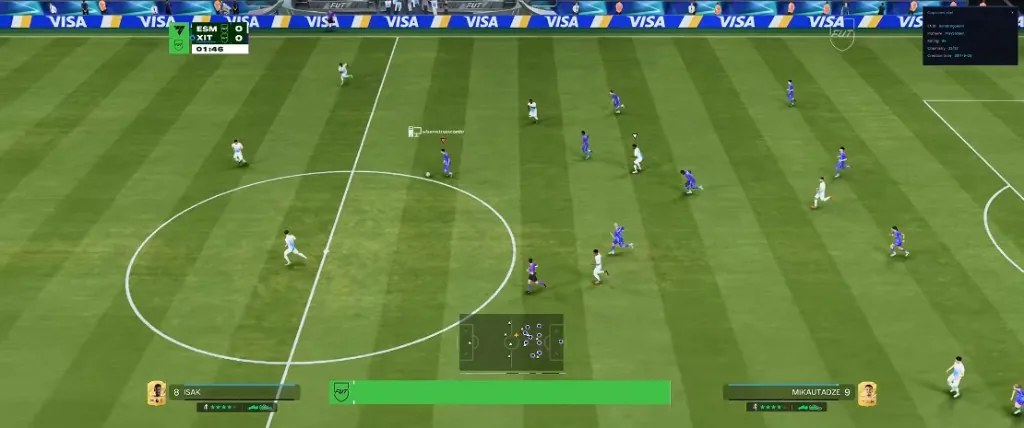
FC 27 Cheats
Status: Undetected
Digital delivery · Check Status before you load
AI Auto Play for automated on-pitch control
Player Sliders and Opponent Sliders as separate groups
5-Star Skill Moves and 5-Star Weak Foot toggles
Stamina Control for drain and recovery management
Custom Tactics editable from the menu
AI Auto Play
Let the menu control on-pitch actions automatically. A separate toggle from player and opponent sliders.
Player Sliders
Adjust your squad attributes through in-menu sliders. Each slider maps to a named control on the product page.
Opponent Sliders
Adjust opponent-side values through a dedicated slider group. Independent from player sliders.
5-Star Skill Moves
Enable five-star skill move access where the menu lists this option.
5-Star Weak Foot
Enable five-star weak foot rating where listed on the product page.
Stamina Control
Manage stamina drain or recovery through the gameplay options group.
Custom Tactics
Apply or edit custom tactics from the menu without leaving the match flow.
Check the Status label before you load. If Status is Green, open the gameplay section and start with the toggles you need for that match type — AI Auto Play for hands-off sessions, or player and opponent sliders when you want manual fine-tuning.
Adjust player sliders first for your squad, then move to opponent sliders if you need to change opponent-side values. Five-star skill moves and weak foot are separate toggles from the slider groups. Stamina Control and Custom Tactics can stay on or off independently of AI Auto Play.
Gameplay options do not replace Ultimate Team tools such as NoLoss or Pro Clubs editors. After a game update, confirm the build is still Undetected on the Status page before you rely on slider or AI Auto Play settings.
Common ways players use the published gameplay group across Rivals, Champions, and offline matches on Windows.
Hands-Off Match Sessions
Enable AI Auto Play when you want the menu to control on-pitch actions while you monitor the match or manage other tabs.
Squad Fine-Tuning
Use Player Sliders to adjust your squad attributes through named controls without enabling opponent-side changes.
Opponent-Side Adjustments
Open Opponent Sliders as a separate group when you need to change values on the opponent side of the pitch.
Skills and Stamina
Turn on 5-Star Skill Moves, 5-Star Weak Foot, and Stamina Control according to how you want the match to feel in that session.
In-Match Tactics
Apply Custom Tactics from the menu without leaving the match flow when you want to swap approach mid-game.
FC 27 Ultimate Team
FC 27 Ultimate Team tools with NoLoss, division and Champions spoofers, draft modifiers, and pac…
ViewFC 27 Pro Clubs
FC 27 Pro Clubs tools with Virtual Pro editor, VPRO sliders, PlayStyles+, hidden stats, and XP b…
ViewFC 27 Utilities
FC 27 utilities include Desync Bypass and ALT-TAB Bypass for Windows sessions. Listed separately…
ViewFC 27 Safety
FC 27 safety with Anti-Ban Protection on the product page. Read the Updates label before you loa…
ViewGuides
Guides and notes on fc 27 gameplay and related FC 27 Cheats topics.
Guide
AI Auto Play on the FC 27 Cheats menu automates on-pitch control when the toggle is on. This guide explains how it differs from player sliders and Ultimate Team tools.
26 Sept 2026
Read articleGuide
FC 27 Cheats on cheatsforfc27.com is one Windows menu with Ultimate Team tools, gameplay sliders, Pro Clubs editors, utilities, and safety options. This guide explains each group.
26 Sept 2026
Read articleComparison
Choosing the best FC 27 Cheats starts with named features, a matching Windows setup, and a current build status. Use this checklist to compare any listing, including ours.
26 Sept 2026
Read articleQuestions about fc 27 gameplay on the FC 27 Cheats menu.
AI Auto Play, Player Sliders, Opponent Sliders, 5-Star Skill Moves, 5-Star Weak Foot, Stamina Control, and Custom Tactics.
Yes. AI Auto Play and the slider groups are separate toggles on the product page.
No. Player Sliders and Opponent Sliders are listed as independent groups in the gameplay section.